
How to do better analysis with AI
This post is a write-up of my MeasureSummit talk, "How to do better analysis with AI".
I've jumped on the AI bandwagon. I went through all the stages of grief, from "this is going to take my job" to accepting that I needed to embrace it and work out how we could do better analysis together.
What I found surprised me. Most of what I needed to do better analysis with AI was what we all need to do better analysis, full stop. Yes, I may have tacked on a buzzword for the clicks. This is really a post about doing better analysis.
The theme that kept coming up: what's good for the robot is also good for the human.
Bad questions get bad answers
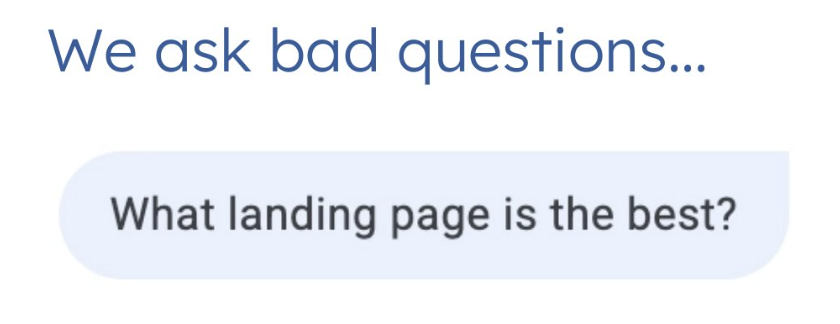
It starts with the question. "What landing page is the best?" is a vague question most of us have been asked at some point.
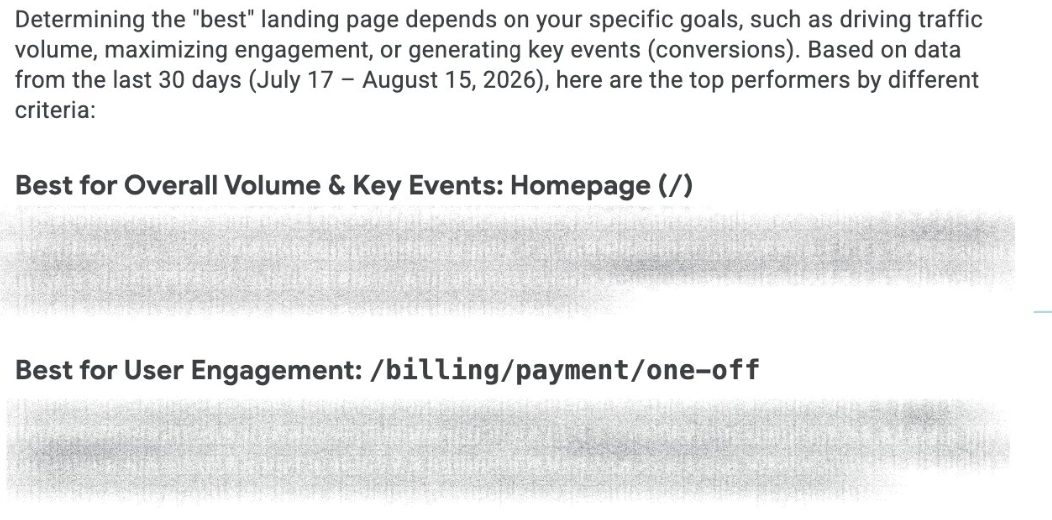
Ask a bad question, and you get a bad answer. The homepage is the best landing page. Or /billing/payment/one-off is. We never defined what "best" means, what we judge landing pages on, or what we'll do with the answer.
The second problem is that the tool, or the analyst, doesn't have context about how your events are named. Ask "what is the top menu item clicked?" and it doesn't know which event is a menu click. It guesses that your navigation events are probably menu items, then gives you a breakdown of top navigation events. It might be right. It's still a guess.
Chatbots are eager interns
Without customisation, chatbots act like a very eager intern:
They won't ask clarifying questions. They assume you're too busy and just get on with it.
They know nothing about you or the organisation you're analysing, or what it cares about.
They try really hard to prove you right. We've all had the "that's a great idea!" response. Part of customising them is telling them to stop.
But like a lot of people doing analysis, they need one thing they don't have: context. The rest of this post is about getting better context, feeding it to AI, handing it to an analyst, or asking for it when you're the one doing the analysis.
Context, part 1: what matters to this business
The first piece of context is what's important to the business. Do this before you start any analysis, whether the tracking is still being planned or has been live for years.
A measurement strategy answers:
What are the organisation's objectives?
What are your key stakeholders' objectives? Do they have targets they need to hit, maybe tied to a bonus?
What are the KPIs for the website or marketing campaign?
How are they being tracked? GA4, another platform, and with which events?
Context, part 2: how it's all being tracked
List your tracking out in detail, whether or not you're using AI. You need an event naming taxonomy, and it needs to cover more than the event name:
Event name
When it fires
Parameters attached
Whether it's a key event
Then there's the extra detail that lives in your head, a developer's head, or someone else's head, and that the new analyst has no idea about. For example, a purchase event that fires on both the shop and the donation page. Document that, and nobody has to break purchases down by page path and stumble onto it mid-analysis.
Document your parameters too. Is it global? Is it a string, integer or boolean? Is it registered as a custom dimension in GA4? Keep it as a living document that gets updated every time the tracking changes. It's handy for your analysts and for your AI.
Context, part 3: everything else you can hand over
Imagine a new analyst joins your team and you hand them:
The measurement strategy
The event naming taxonomy
Previous analysis
UX work underway
Marketing plans
I'd love all of that, especially the measurement strategy, because it tells me what they care about and what they don't. Give it to a human and their analysis improves. Give it to the robot and the same thing happens.
Write an analysis brief
Once you start the analysis itself, the context you need is a brief. I've lost count of the times I've been told "just have a look at the data and see what it tells us". That makes it very hard to come back with anything meaningful. A good brief answers six things.
What question are you trying to answer?
Go back to "what is the best landing page?". What you probably mean is one of these:
Are our landing pages for paid social driving conversions?
How can we optimise our landing pages to decrease bounce rate?
Which landing page drove the most conversions, and what are some possible reasons for this?
Each of these defines what matters (conversions, bounce rate, reasons) instead of leaving "best" undefined, and each lets you dig deeper.
What will you do with the insight?
UX updates? Marketing changes? An A/B test? A business case? Or absolutely nothing, which sadly happens far too often when someone wants analysis done just to tick a box.
Work out what's actually open to you. No A/B testing tool? Rule that out. You look at data differently for a marketing change than for a business case, so decide before you start, and tell the AI too.
Who is it for?
Yourself? Technical people who want page speed and bugs? Marketing people who care about landing page performance? Each audience cares about different things and wants a different format. The C-suite usually wants a single slide that sums it all up. A technical team might want a clear to-do list or a Jira ticket.
What do you already know?
This is the one that gets missed most, with a new analyst and with a bot. Without it, they spend time on things you already know, or report findings that don't account for things you know. For example:
We were double-counting sessions in August.
In October, we ran a competition with huge engagement, so watch your comparisons.
We know page X has a high bounce rate on mobile, and a team is already on it.
If you've worked with the data for a while, you carry dozens of these. Write them down. It speeds up the process and stops you from getting data that isn't useful.
Can you break it into smaller questions?
Every time you pull data, you're answering one specific question. For the paid social landing page question, that might be:
Does device affect landing page performance?
Does channel affect landing page performance?
Which landing page has the best conversion rate for sales per session, and is that different from the user conversion rate?
Does one landing page convert more new users than returning users?
This forces you to think about what data you need. You may not get this from a client brief, but you can do it yourself: will answering these smaller questions answer the big one? Then check it with whoever asked for the analysis.
What do you assume the answer is?
If you wrote the question, you usually think you know the answer, especially if you've been the expert in this data source for a while. That puts blinkers on. Write your hypothesis down, then ask the analyst or the AI to prove you wrong instead of agreeing with you. That's how hypotheses work in science, and it's how they should work in analytics.
Put it together
Answer all of that, and you get a brief like this one: core question, use cases, stakeholders and their data literacy, where the insight is going, prior knowledge, and the sub-questions with a hypothesis for each.
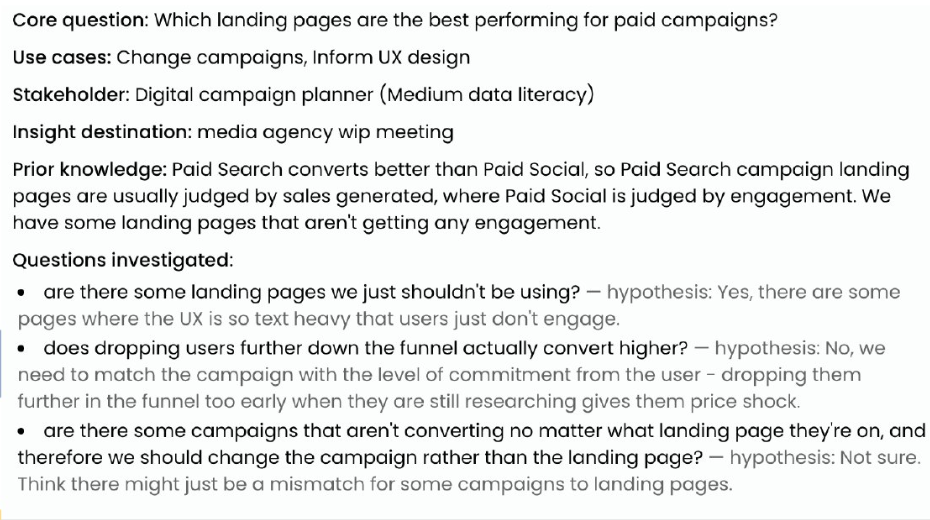
If I were handed briefs like this, I'd love it. As a community, we need to push for better briefs for our analysts. Pair a brief with your measurement strategy and event naming taxonomy and you've set the analysis up to succeed.
The short version: five key questions
If that's more detail than you need, get answers to these five. Credit to Evan Rollins from Drumline Digital, who I stole them from:
What are you trying to answer?
What will you do when you answer this?
Who are you answering this for?
What do you already know?
What do you already assume the answer to be?
Without context vs with context
Without context, "what is the best landing page?" got us the homepage and a billing payment page.
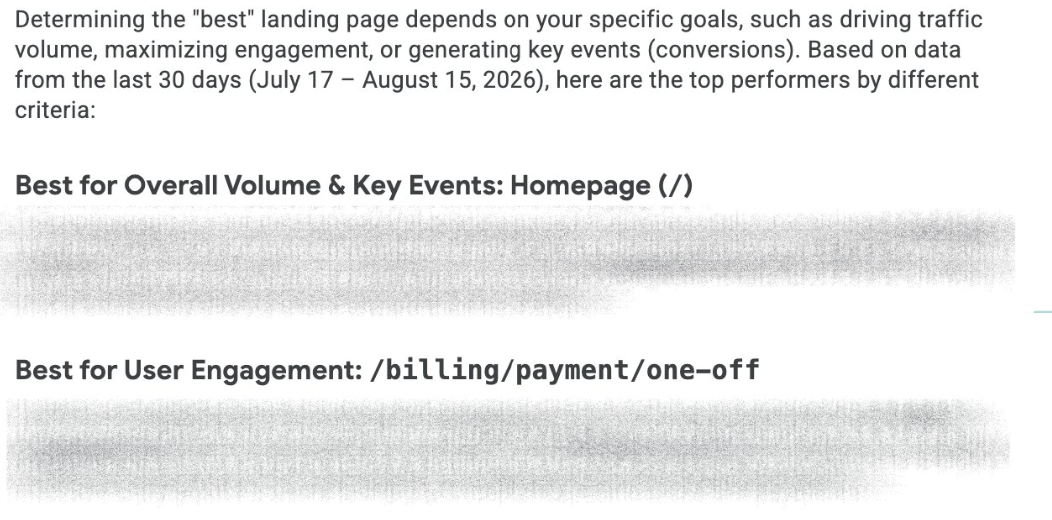
With the brief and the documentation, the answer changed completely. It still listed the landing pages performing well (I cut that part from the slide), but it also gave guided action points:
Paid Search (Google and Bing CPC) significantly outperforms Paid Social across all metrics.
There's a critical UX issue on Paid Social landing pages, particularly special offer pages, with 72–85% bounce rates.
Paid Search landing pages convert at 4.3% versus 0.62% for Paid Social, a 7x conversion gap.
Some landing pages should be retired immediately.
The estimated opportunity is $195K in lost conversions if Paid Social landing pages matched Paid Search.
I wouldn't copy and paste that into a client report. Bots can be wrong. Treat it like an intern's work: check their numbers, or make them show the raw data so you can confirm it looks right. What it does is get you halfway there and show you where to look. Your expertise takes it the rest of the way.
Giving AI the context
You can give all of this to an AI tool today through prompts, projects or Cowork. Hand it the brief and the documents, and connect a GA4 MCP server plus any other data sources that have one. I'd recommend connecting as many as you can, so it can look across multiple data sets in one analysis.
Or you can try the tool I built for this: Data Docs. I'm not great at naming things, so suggestions are welcome. For now it only works with GA4 data.
The docs part
Import your GA4 property, then bring your events in from a GTM container export or a Google Sheet. Your event naming taxonomy now lives in one place. For each event, you can see the trigger, the parameters attached, whether it's a key event, whether it needs a dataLayer push, and whether it has fired in GA4 in the last 90 days.
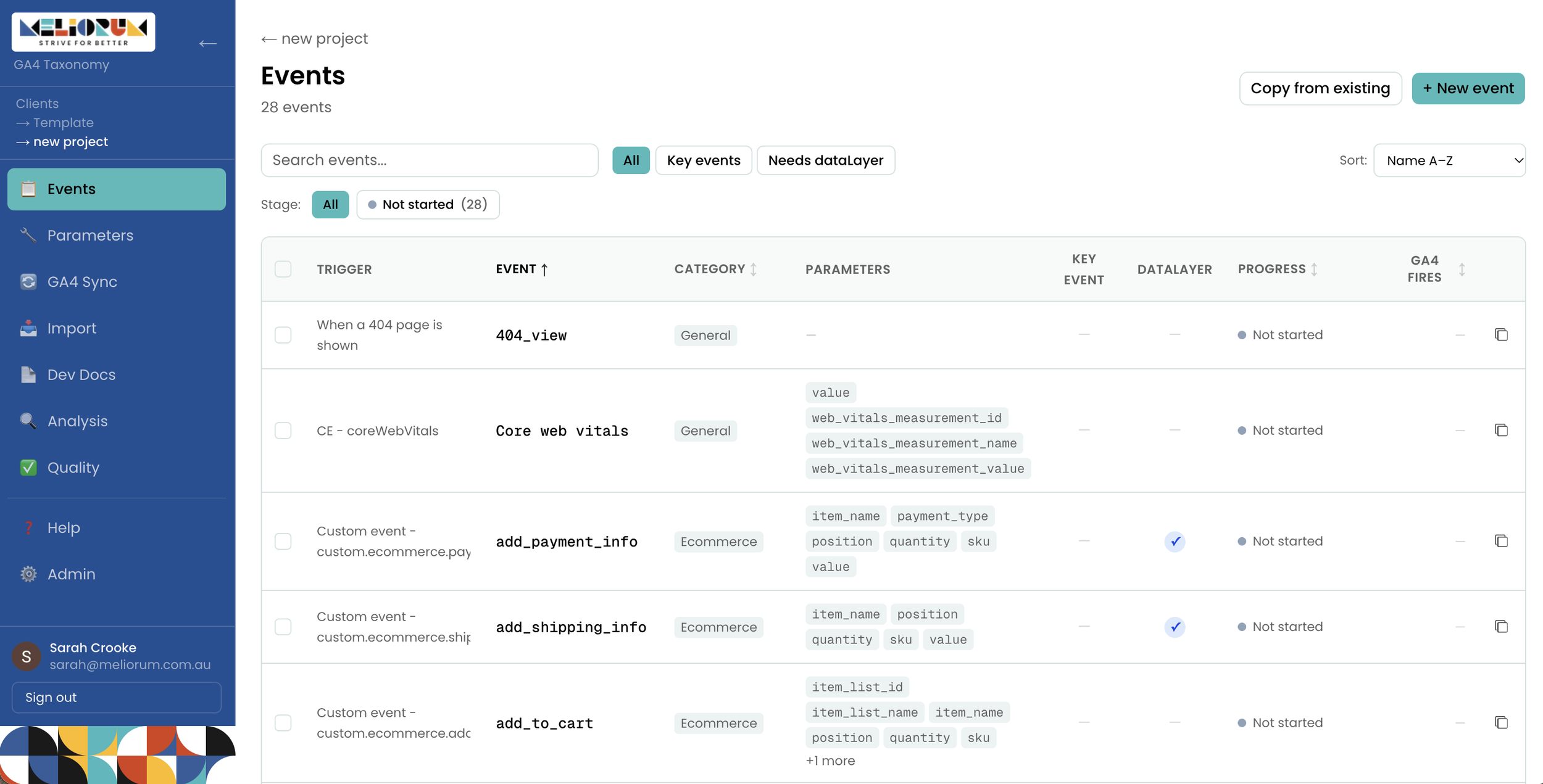
It doubles as a working document. Has the dataLayer documentation been written? Implemented? Has the GTM work been done? Add notes against any of it.
Parameters are documented the same way: whether global or not, string, number, or boolean, and product, event, or global level. Tick the ones you want registered in GA4.
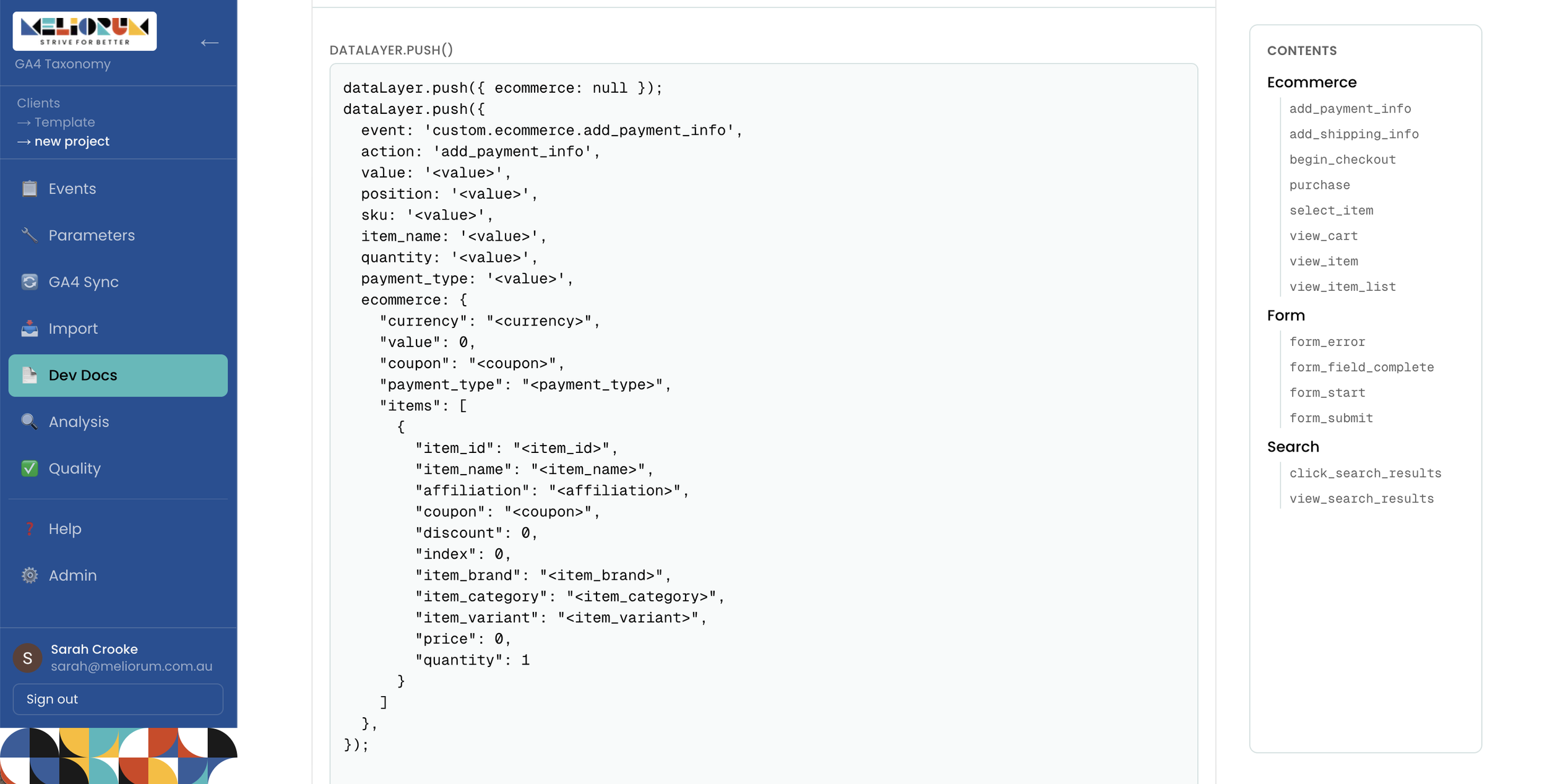
Once your events and parameters are in place, a single click generates dataLayer documentation for developers. It puts ecommerce events into the GA4 ecommerce structure, explains every key-value pair, and exports to Google Docs, Word or PDF.
The data part
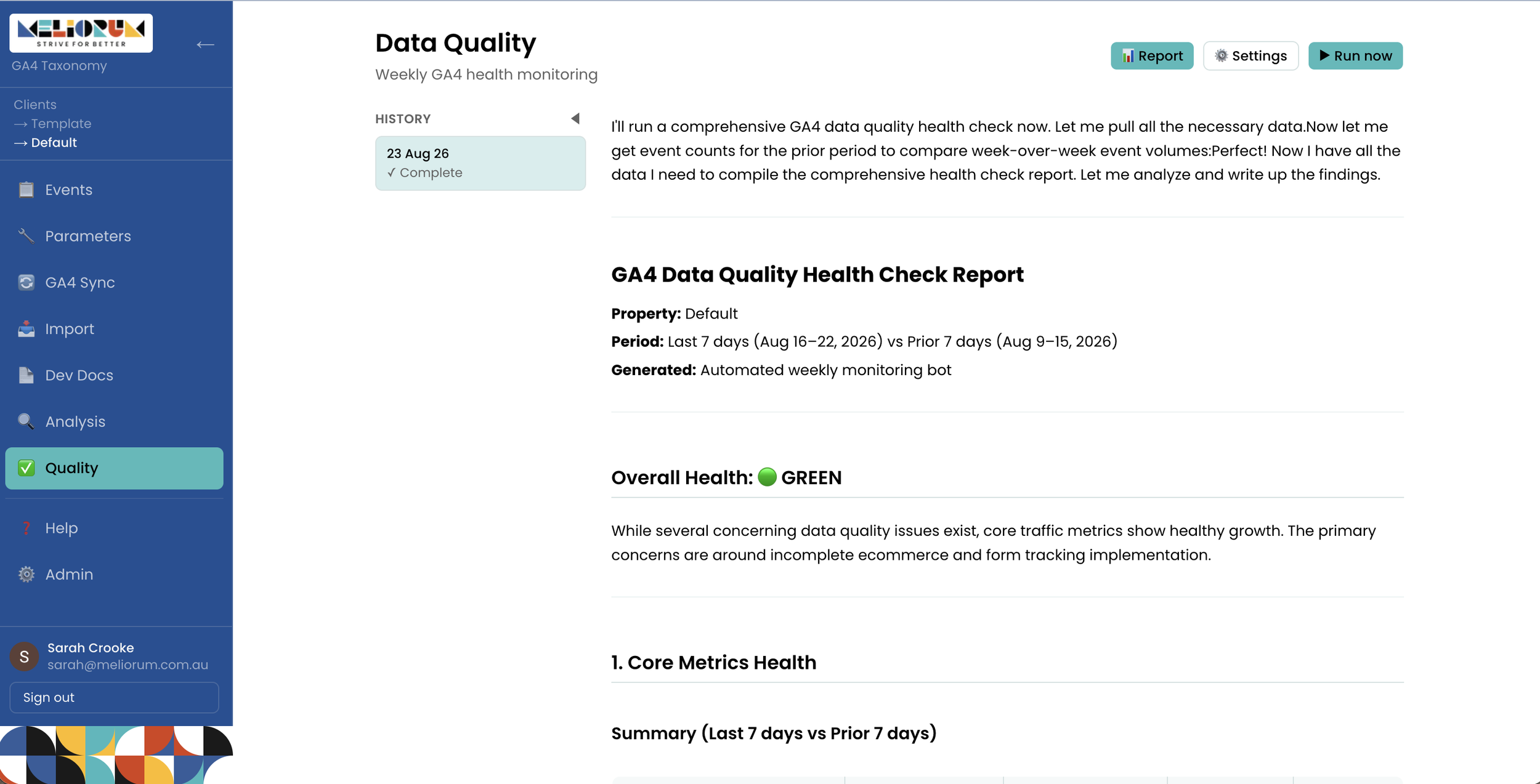
Data Docs runs a weekly health check on your GA4 data via the Google Analytics MCP and rates it as red, amber, or green. It doesn't alert you yet when quality drops; that was an experiment.
The analysis side lets you chat with your data, but unlike a bare chatbot, it already has your events, parameters and documentation. There's also a research library where you can upload anything else, like UX research or a measurement strategy PDF.
My favourite part is guided analysis. It walks you through the same questions from this post:
What do you want to understand?
What will you do with this insight?
Who is it for, what's their data literacy level, what are their KPIs, and how do they like information presented?
Where will it go?
What do you already know?
What sub-questions break it down? There's a button to suggest some with AI.
What do you expect to find?
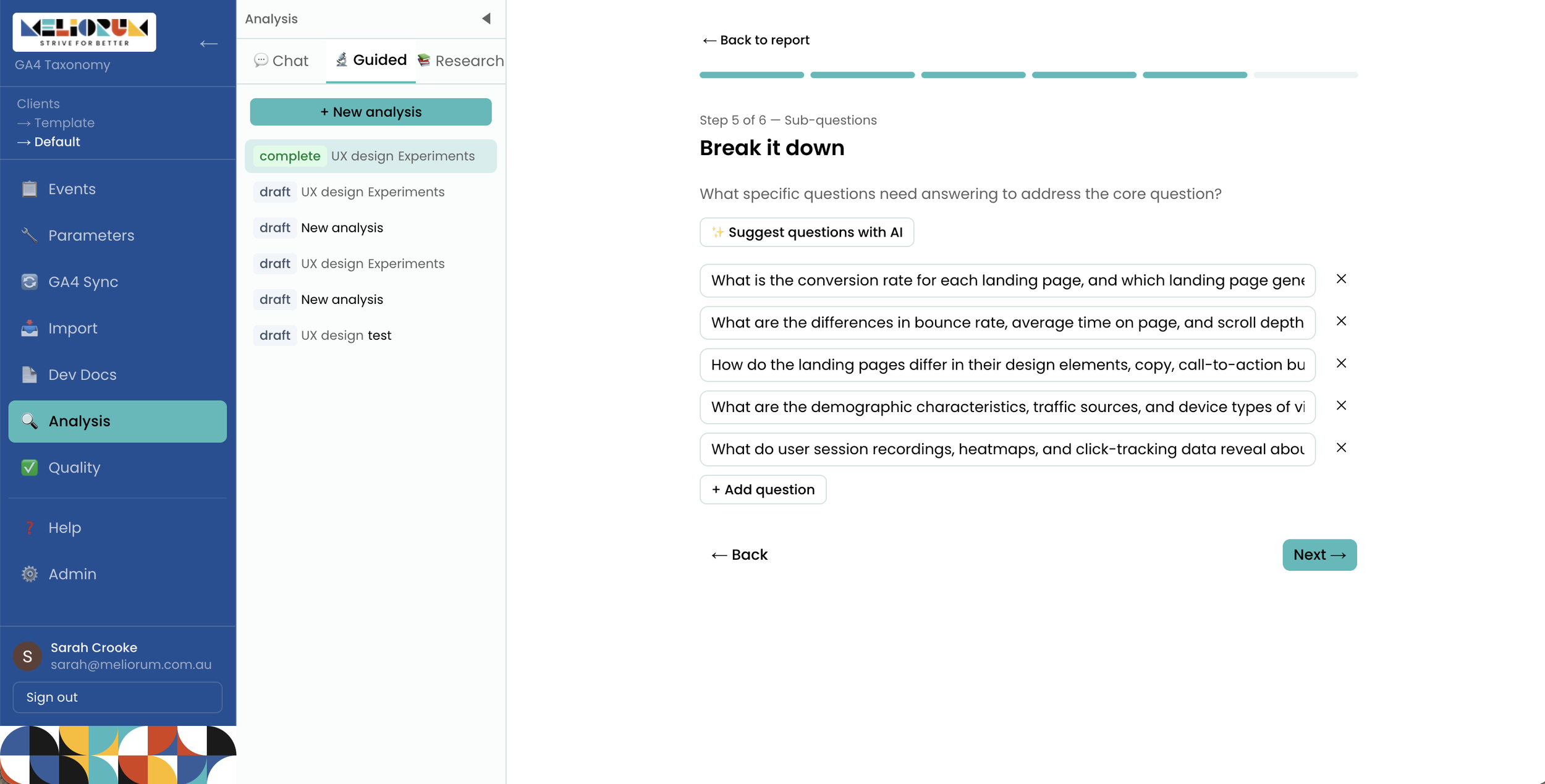
That becomes the brief that drives the analysis. The output is text only for now, no charts, which I'd like to add.
In the report, you can hover over any piece of text and ask it to tell you more. Because AI does get things wrong (I've had outputs that weren't 100% correct), you can also highlight text and ask it to fix it, type in a correction, or have it fetch the data again.
Get it on GitHub
Data Docs is free on GitHub at sazkebab/data-docs. You run it on localhost with your own Google OAuth credentials and an Anthropic API key. The AI features cost money in Anthropic API tokens, which is why I can't just give you access to mine: you'd send me broke. Everything else is free.
Contributions are very welcome. I take no liability for the code quality. I built it with AI, so please don't judge me.
Good for the robot, good for the human
I don't think AI is replacing analysts any time soon. It still hallucinates and makes things up. But there's a real chance to work better with it and with our analysts by providing far more context.
Even if you never use Data Docs or AI for analysis, I hope we get better at asking the key questions before we start:
What are you trying to answer?
What will you do when you answer this?
Who are you answering this for?
What do you already know?
What do you already assume the answer to be?
Building Data Docs was my way of embracing AI without blindly following it. I wanted to find out how to actually do better analysis with it.
